For members
A pension people can see.
Members sign in to see what their pot is worth, what it could pay when they retire, which plan they are in and what they owe on a loan. In English or Greek, on a phone or a laptop.
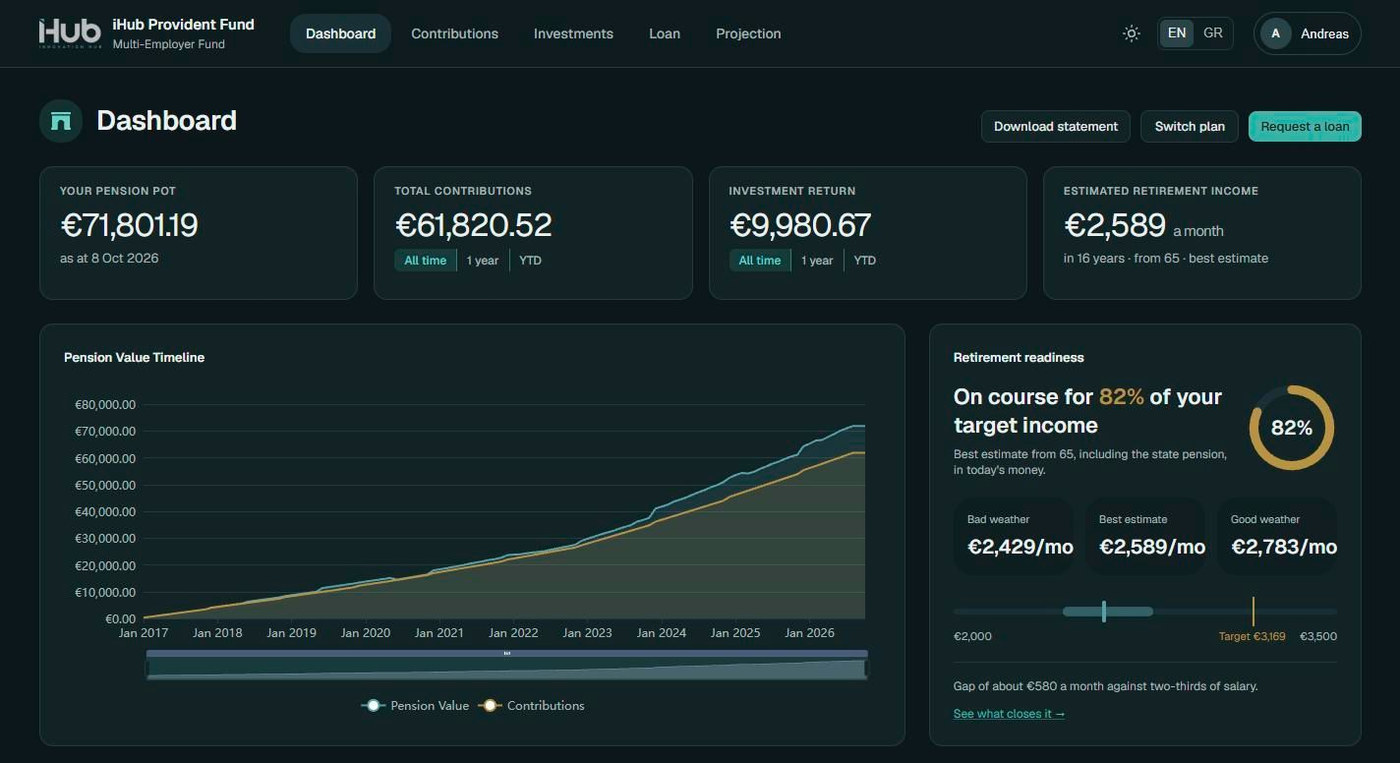

What members see
Everything a member asks the fund, without the phone call
Dashboard
The pot, contributions and investment return over all time, a year or year to date, and the estimated monthly income at retirement.
Retirement readiness
How close the member is to an income of two-thirds of salary, and what would close the gap.
Investments
The plan's risk score, asset mix, units held and latest unit price, and which plans suit the years left to retirement.
Plan switching
Compare plans side by side and ask to switch. The fund approves; the member can cancel while it waits.
Loans
Apply for a loan, see the repayment schedule, borrow more with a preview, or tell the fund about an early repayment.
Statements and documents
Account, annual contribution, pension benefit and loan statements, plus the fund's forms and documents.
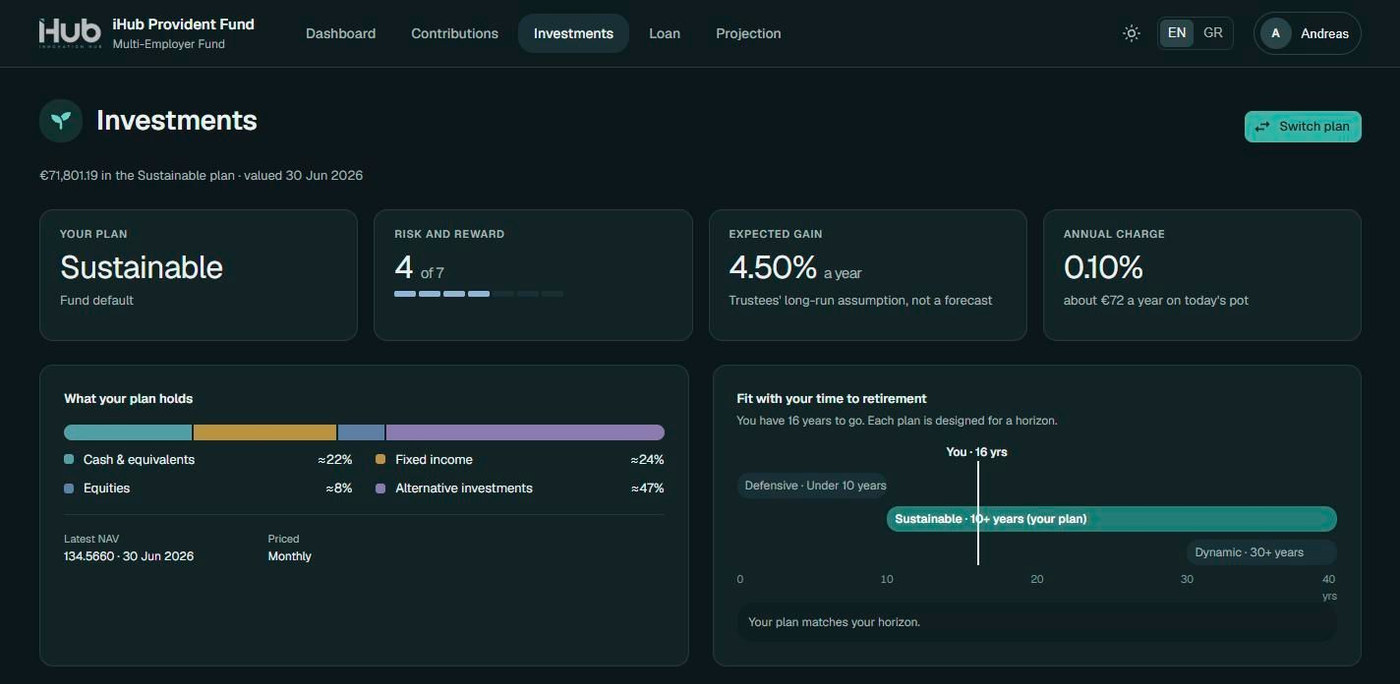
Investments
Risk score, asset mix, units and unit price, and a side-by-side plan comparison.
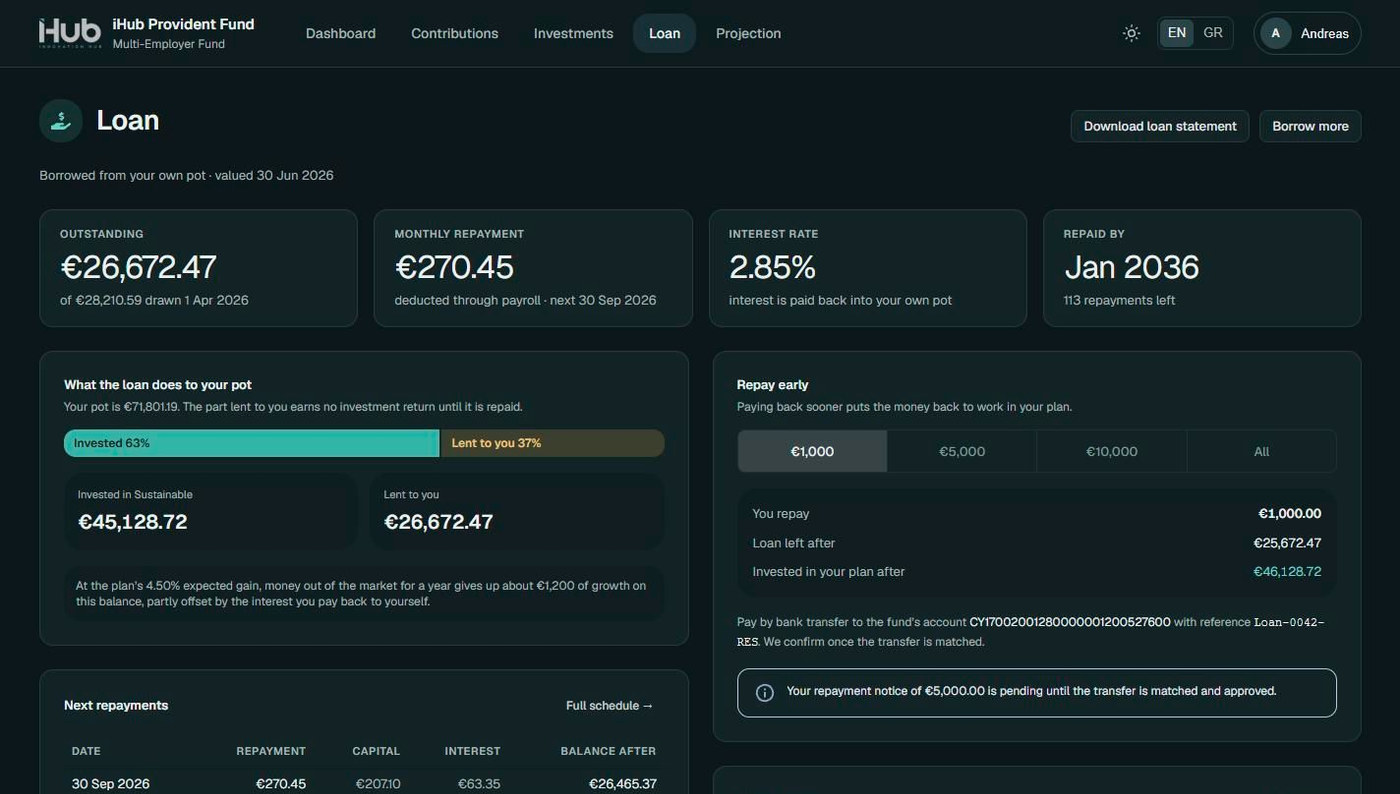
Loan
What is owed, the monthly repayment, the pot split between lent and invested, and the schedule.
Screens from the running platform. The names and figures shown are not real member data.
Projection
What if I paid in more, or retired later?
Members move the sliders and see the effect at once: another plan, a different retirement age, a higher contribution, a one-off top-up, the state pension in or out. A good year and a bad year are shown side by side, in today's money.
Security
The member's account, protected by the member
Members can enrol an authenticator app for two-factor sign-in, keep recovery codes, set security questions and choose which emails they receive. Requests that move money ask for the password again.
Show your members what they have built.
We will walk you through the member portal on your fund's branding.
Or write to us at [email protected]